If the charging connector remains locked in the Xpeng after charging, it does not necessarily indicate a fault. Often, charging is still in progress, the vehicle is locked, or communication with the charging station did not end properly. The mechanical emergency release should only be used if the standard unlocking procedure fails.
Never pull the connector out by force: The lock prevents it from being disconnected while power is flowing and could be damaged in the process.
Disconnecting the charging cable from an Xpeng normally
During AC charging with a Type 2 connector, the vehicle locks the connector in place. When DC fast charging via CCS, the connector also remains secured while power is flowing or until the charging session has ended completely.
- End the charging session: Stop charging via the vehicle, the Xpeng app, or the charging station controls. At public charging stations, you may need to present the same charging card or payment method again.
- Wait for confirmation: Wait until both the vehicle and charging station indicate that charging has ended. Stopping the session and unlocking the connector may take a few seconds.
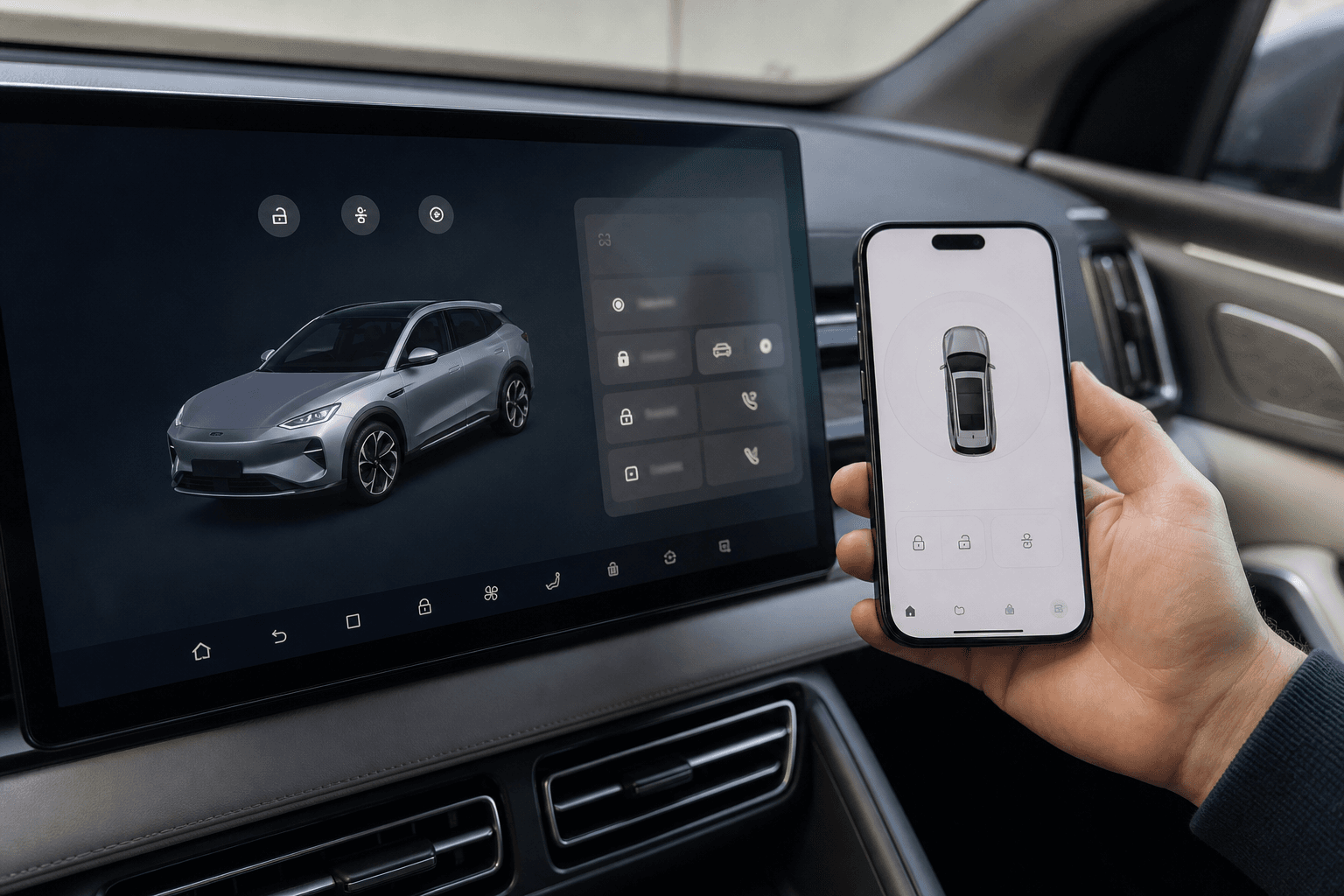
- Unlock the vehicle: Unlock the Xpeng using the key, app, or door handle. Depending on the model and settings, this may also release the charging port.
- Pull the connector straight out: Hold the connector by its handle, gently relieve any pressure on it, and pull it straight out of the charging port without tilting it. With a Type 2 connector, you may also need to press its release button.
If the first attempt fails, locking and then unlocking the vehicle again may help. This activates the charging-port locking actuator once more.
If the connector remains stuck
| Possible cause | Recommended action |
|---|---|
| Charging is still in progress | Stop charging completely via the vehicle or charging station |
| Vehicle is locked | Unlock the Xpeng fully and wait briefly |
| Charging station is not responding | Try stopping the session again or contact the operator’s support hotline |
| Connector is under mechanical strain | Push the connector slightly toward the port, unlock it, and then pull it straight out |
| Software or locking mechanism is unresponsive | Lock the vehicle, wait briefly, and unlock it again |
| Ice or dirt is causing an obstruction | Inspect the area carefully; do not pry and do not use hot water |
At a public DC charging station, the problem may also originate with the station itself. An emergency stop button is not intended for ending a charging session normally. Instead, call the operator’s hotline shown on the charging station. The operator can often reset the charging point remotely.
Using the mechanical emergency release
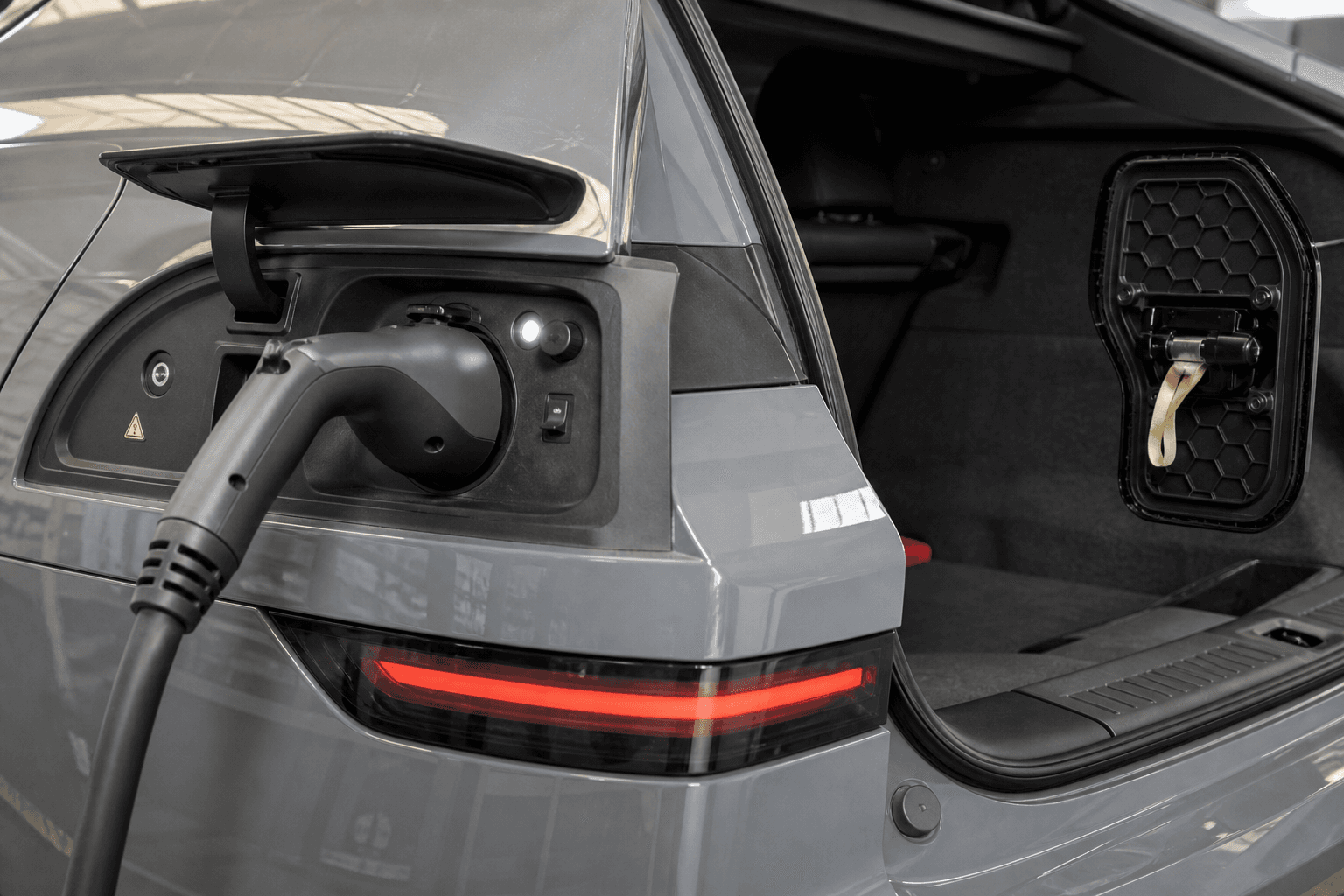
The emergency release disengages the mechanical lock at the charging port. Its exact location and operation vary between Xpeng models such as the G6, G9, and P7, as well as by model year. Always follow the owner’s manual for the specific vehicle.
In many vehicles, the access point is located in the trunk behind a side service panel or trim near the charging port. There may be a labeled pull cable, loop, or manual release mechanism. Trim panels should only be opened at the designated points.
- Make absolutely sure that charging has ended and no power is being transferred.
- Put the vehicle in Park and secure it against rolling.
- Open the emergency-release access point specified in the owner’s manual.
- Carefully operate the mechanism in the indicated direction. Do not pull it abruptly or use tools.
- If necessary, keep the release engaged while pulling the charging connector straight out of the port.
- Then return the cover and mechanism to their original positions.
When to use the emergency release
- Charging has definitely ended, but the lock does not open
- The vehicle does not respond to the key, app, or central locking system
- Several standard unlocking attempts have failed
When to call for assistance instead
- The vehicle or charging station still indicates an active charging session
- The connector, cable, or charging port is damaged, hot, or scorched
- The emergency-release cable cannot be found or offers strong resistance
- The connector remains stuck at a DC charging station even after the vehicle lock has been released
After using the emergency release
A one-off communication issue does not necessarily indicate permanent damage. If the problem recurs, an Xpeng service center should inspect the locking mechanism, actuator, and charging port. Until then, always end the charging session completely before disconnecting and watch for unusual noises or error messages.
If the emergency release was pulled forcefully or the connector subsequently feels unusually loose, do not simply continue charging. A damaged locking mechanism may no longer secure the connector reliably.