Tesla App 4.61.0 Improves Sign-In and Charging
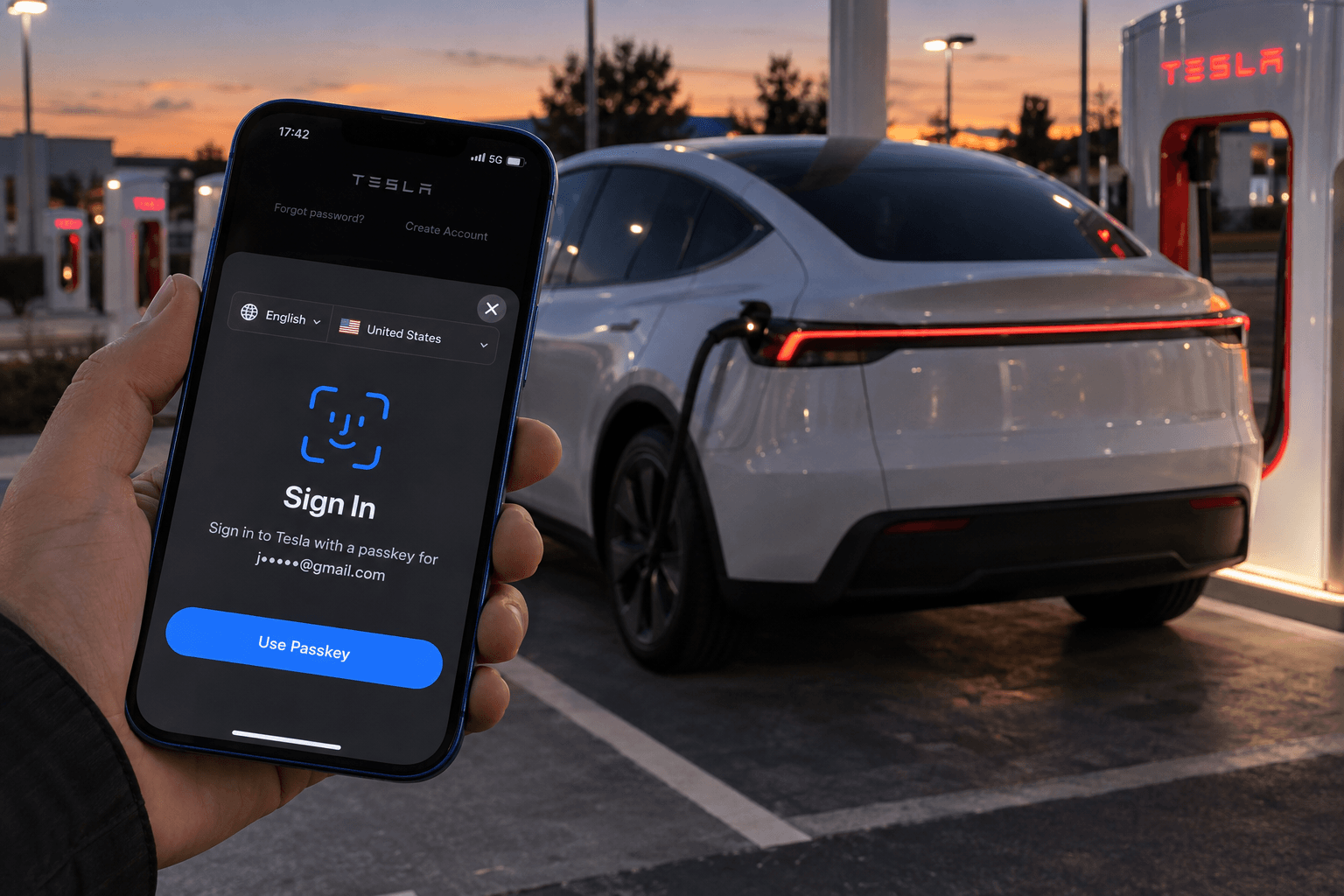
Tesla is enhancing its app in several areas with version 4.61.0. The most important new feature is support for passkeys, allowing users to sign in with Face ID, Touch ID, or their device lock.
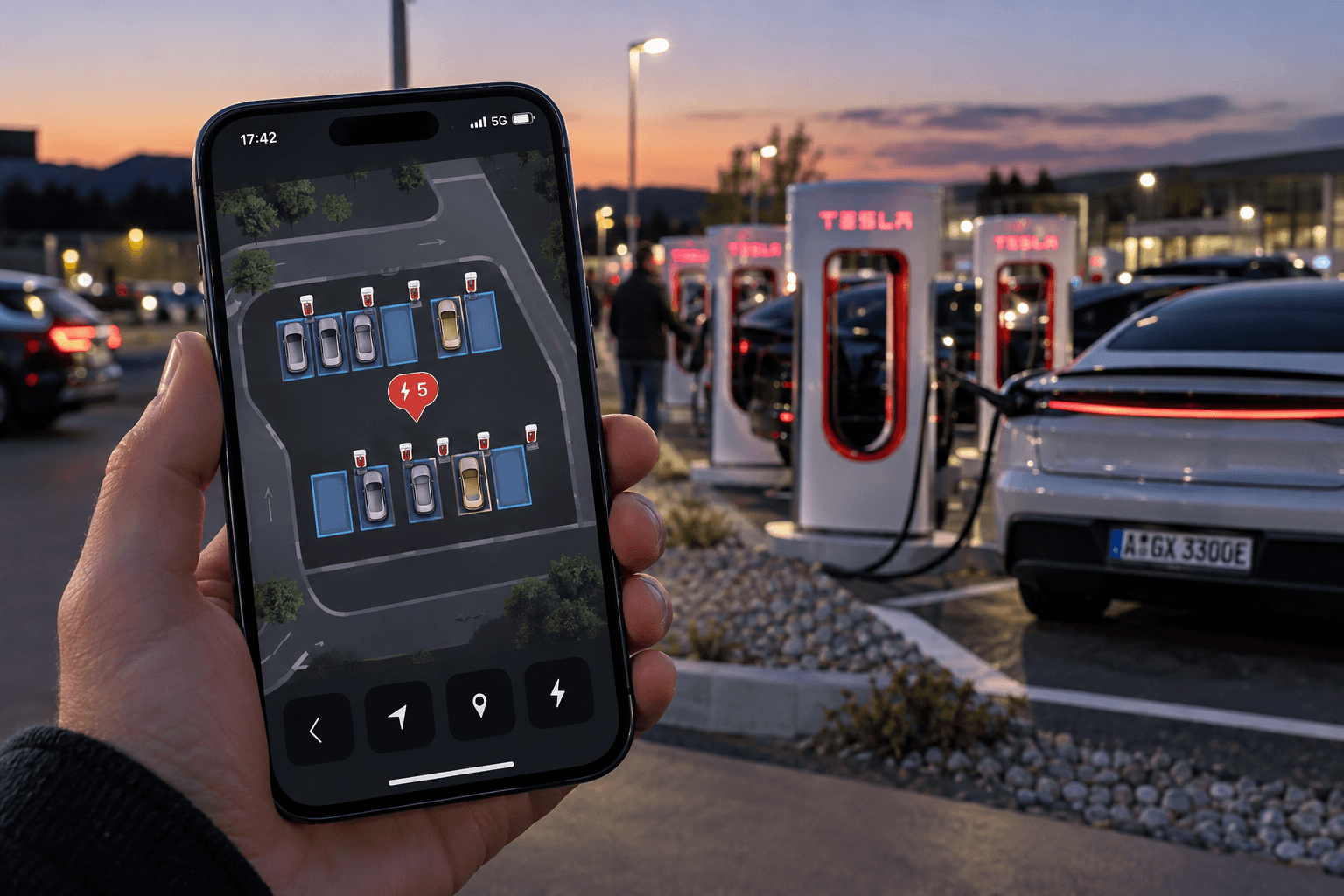
More detailed Supercharger maps are also being added on iPhones. References to camera sharing for support cases are included as well, although this feature has not yet been officially confirmed as available.
| New Feature | Status | Practical Benefit |
|---|---|---|
| Passkey sign-in | Planned worldwide | Faster sign-in with better protection against phishing |
| Supercharger location maps | Integrated into the iOS app | Charging-bay occupancy and layout are easier to identify |
| Camera sharing | Not yet officially enabled | Visual assistance from Tesla Support |
Passkeys Replace Manual Password Entry
Technically, a passkey consists of a cryptographic key pair. The private key remains on the smartphone or in the password manager being used, while Tesla receives only the corresponding public key.
When signing in, users confirm their identity locally using Face ID, Touch ID, or their device lock. This eliminates the need to enter the actual password, reducing the risk posed by fake sign-in pages in particular.
Passkeys make signing in more convenient while also providing significantly stronger protection against conventional phishing attacks.
How to Set Up a Passkey
- Open the menu in the Tesla app.
- Select the profile name and go to “Security & Privacy.”
- Open sign-in management.
- Select “Passkey,” then add a new passkey.
The exact names of individual menu items may vary slightly depending on the language and operating system. Because passkeys are linked to the Tesla Account, the feature generally applies to all supported vehicles, including the Tesla Model 3, the Tesla Model Y, Model S, Model X, and Cybertruck.
Supercharger Maps Show Charging Bays in Greater Detail
Users who zoom in far enough on a Supercharger location in the iOS app will now see a detailed site view. It shows the orientation and occupancy status of individual charging bays, as well as icons indicating which types of vehicles are currently charging.
This is particularly useful at large or confusing locations. Drivers can get a better sense of the entrance and the appropriate charging bay before they arrive, rather than having to search the parking lot for an available charger.
Tesla’s Cybercab already has its own icon in these app maps. However, it apparently is not yet shown separately in the corresponding in-vehicle map view.
Camera Sharing for Support Cases Appears to Be Coming
Several new text strings in the app suggest that users may eventually be able to share their smartphone camera with a Tesla employee. This could allow support staff to directly point out where a particular vehicle feature, setting, or component is located.
Sharing is intended to take place only with explicit consent and requires access to the smartphone’s camera. It does not involve automatic access to the vehicle’s cameras or Sentry Mode.
It remains unclear when Tesla will activate this support feature and in which countries it will be offered. Unlike passkey support, camera sharing should therefore initially be regarded as a feature that is being prepared but has not yet been confirmed.
The Update Delivers Genuine Everyday Benefits
Version 4.61.0 is not a major design update, but it improves three common points of interaction with the Tesla ecosystem. More secure sign-ins, faster identification of charging bays, and visual assistance when problems arise: These small optimizations can make a bigger difference in everyday use than a purely cosmetic redesign.
The combination of passkeys and detailed Supercharger maps is particularly relevant. It improves account security while also reducing friction during charging, without requiring users to purchase new hardware.